
By Martin Jansen, Owner of Jansen-PCINFO
Unusual Request
A customer proposed something different for her newer laptop: she didn’t want to share her OneDrive account with two laptops. Instead she wanted to make sure that the two laptops were separated by having Linux Mint replace Windows 11.
Usually I am installing Linux Mint Cinnamon 22.3 on older hardware because the customer had a perfectly good computer, but was running Windows 10. It is widely known that Microsoft demanded that people buy new computers to run Windows 11. Technically this is because Microsoft hoped to be more secure with a TPM 2.0 chip, but reality seems to indicate otherwise. Windows is still the biggest target for hackers and thieves.
Price Rise
Another side effect of Microsoft driven surge in people buying new computers: prices for all computer components have risen to new highs. This makes it price prohibitive to upgrade older computers as well.
Live Mode – Linux Mint
First we enter the UEFI BIOS of the computer by pressing a certain key repeatedly as the manufacturer’s logo splash screen appears. Which key varies according to the manufacturer, but since this is an Acer laptop, I press the F2 key. Once in the BIOS, I disable Secure Boot which allows booting from a USB drive. For reference: the usual book key for Dell is F12 key and for HP its the Esc key.
In today’s world we install operating systems from USB drives, not CDs or DVDs. And Ventoy makes it even easier by simply dragging the downloaded ISO file from the Downloads directory to the USB drive.
Linux Mint first boots up into a Live Mode which allows you to test the hardware for compatibility before installing the operating system:
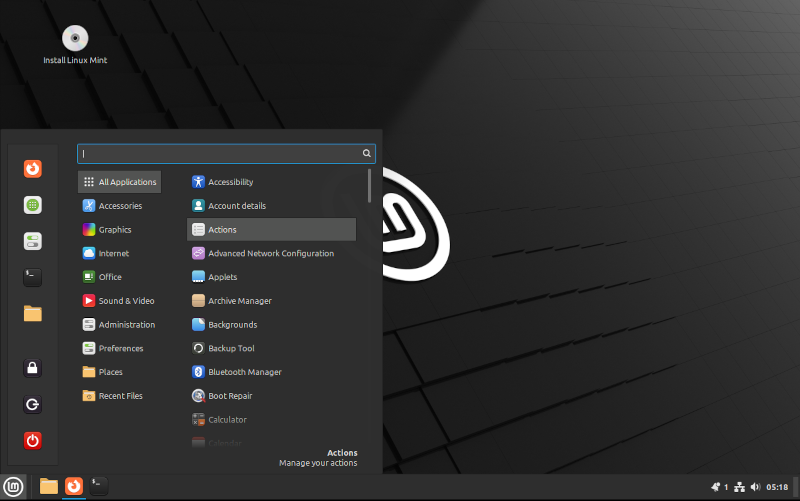
And that is where I discovered that the WIFI card in the laptop would not work with Linux. Everything else worked great.
Bulk Buys
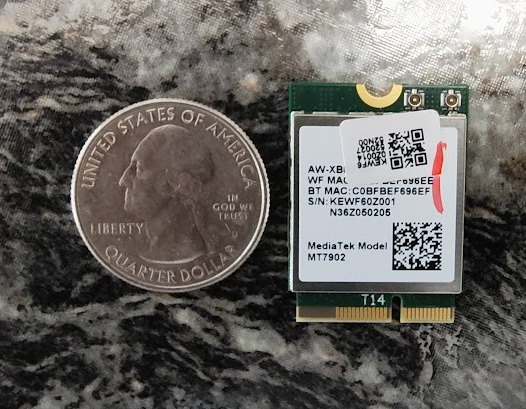
Computer manufacturers buy components by the bulk and, if they can save a few dollars per unit on WIFI cards that are not universally compatible, they will. It turns out the MediaTek MT7902 has drivers for Windows only and no other operating systems. Time to call the customer.
Approval
When I explained to the customer what was happening, she said, “those dirty dogs.” My sentiments exactly. Anyway, she gave me approval to buy a new card.
Intel AX210NGW
My choice of WIFI and Bluetooth cards is the Intel AX210NGW. It is widely compatible, features speeds up to 2400Mbps and 5.3 BT level of connectivity. It’s a great card that will give years of reliable service.
As previously mentioned, though, the price of components has gone up and this card cost $25 – used to be under $20.
Disassembly
In order to replace the WIFI card the case needs to be opened. Turn the laptop over on a soft surface. This laptop had 10 screws securing the plastic base to the motherboard and the rest of the components. Carefully pry up and remove the base. Once removed the inside of the laptop looks like this:
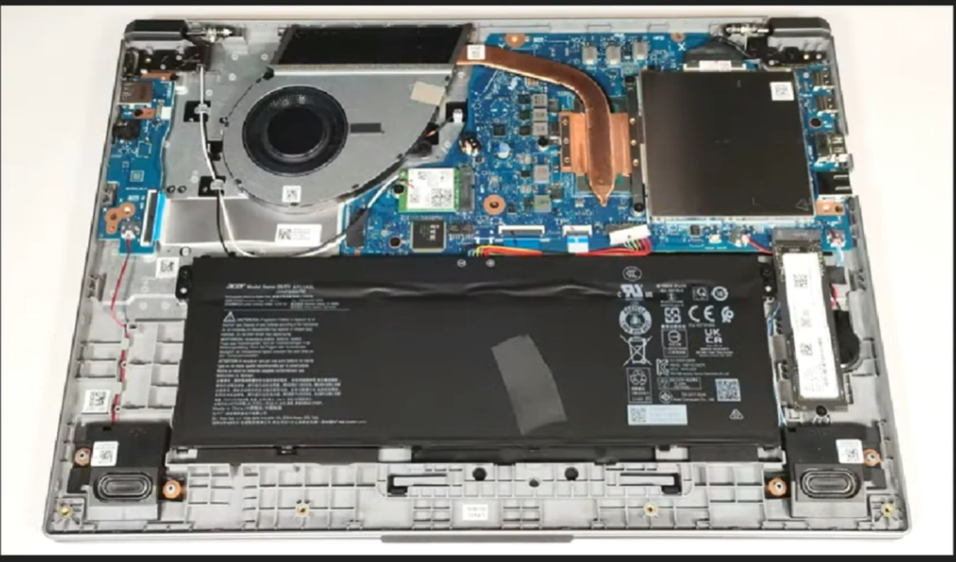
Before removing any components, disconnect the battery.
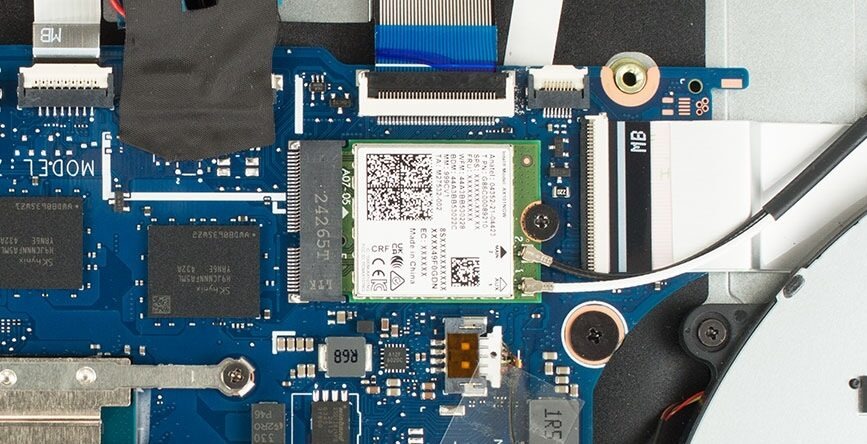
There is a screw holding down the WIFI Card along with white and black antenna connections. Use fingernails to pull the connectors straight up and remove the card:
New Card and Close Case
Insert the new AX210NGW card and secure it with the screw. It is most difficult to align and push the antenna connectors straight down for a good connection – white wire first followed by black.
Reconnect the battery and place the plastic base pushing down until all sides are snapped in and tighten all 10 screws.
Backup and Install
With the laptop assembled, we now apply power and backup any data in the user profile. Installing a new operating system means wiping the 256GB NVMe drive in the computer. Linux Mint installed easily and upon reboot we had a very fast and modern laptop.
Unlike Windows, all accounts are local in Linux Mint – passwords do not expire either. Linux Mint has a good set of applications pre-installed, so I only had to install Chrome Browser – the customer’s favorite.
Conclusion
After a few minor configuration changes, this Acer Go 15 laptop is now ready for the customer. I will spend about a half hour training her on the new computer and Linux Mint.