
By Martin Jansen, Owner of Jansen-PCINFO
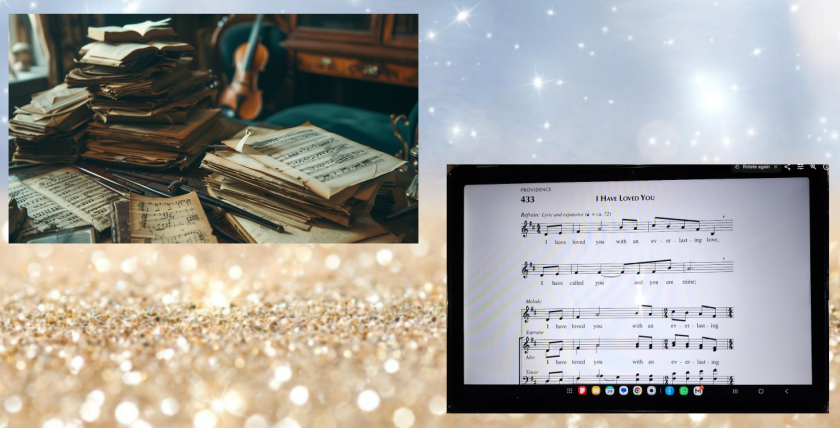
There are two ways to assemble music for singing.
- Old Way
The old way is to put great piles of music on a table, organize in order, and put them in some sort of binder. This has been done for centuries and it still works. But if the music needed is in several books, then you must haul all that to rehearsals and performances. During the rehearsal or performance the singer must sort through to find the correct page in the book with the music. Or you can make copies of the relevant songs and print them out to be placed in the binder. And the binder has to have enough space to store all the music.
- Electronic Way
The new way is to store music electronically. That is, convert the music into PDFs or images that can be read on a computer or tablet. For this process, a few materials are needed:
- A computer and tablet of suitable size for reading.
- A printer with scanning capabilities or a separate scanner.
- A PDF reader on both the computer and tablet.
- A dual pane file manager on the computer.
- Scanning software on the computer to create PDF files.
- PDF Printer Driver or PDF export feature on the computer.
Start with a List
In any singing group the director or liturgist is responsible for creating a list of songs to be sung. These songs usually adhere to a certain theme and hopefully with a variety of music to maintain group interest.
Building a Library
When starting an electronic library you start with no songs and slowly build it over time. Once a PDF is created it is stored in a directory to be searched in the future. For instance, for my church choirs, I start with a main directory called CHURCH. The subdirectories under CHURCH are Seraphim and Renewed Spirits, followed by further subdirectories for the year and each Mass.
I started building my church song library in October of 2021: I have over 6 years and counting of music for St. Bernadette parish stored as image and PDF files. At this point I rarely have to create new PDFs when assembling my music to practice for a Mass.
Assembly
Let’s say I just received a Cantor list of songs for the next Mass from our Liturgist. She lists the songs the congregation will sing from the OCP Breaking Bread. We are preparing for the Fifth Sunday of Easter, but we need to be aware that some of our songs will be sung in four part harmony from the OCP Choral Praise book. I type the CP3 numbers on the Cantor list which is in Word .doc format. It opens beautifully in LibreOffice Writer. From there I add the time of the Mass and the cantor for that Mass.
I can now save and export the Cantor list directly as a PDF file saved in the CHURCH, Seraphim, 2026, ‘Fifth Sunday of Easter – May 3’ folder. This is my first file for the Mass.
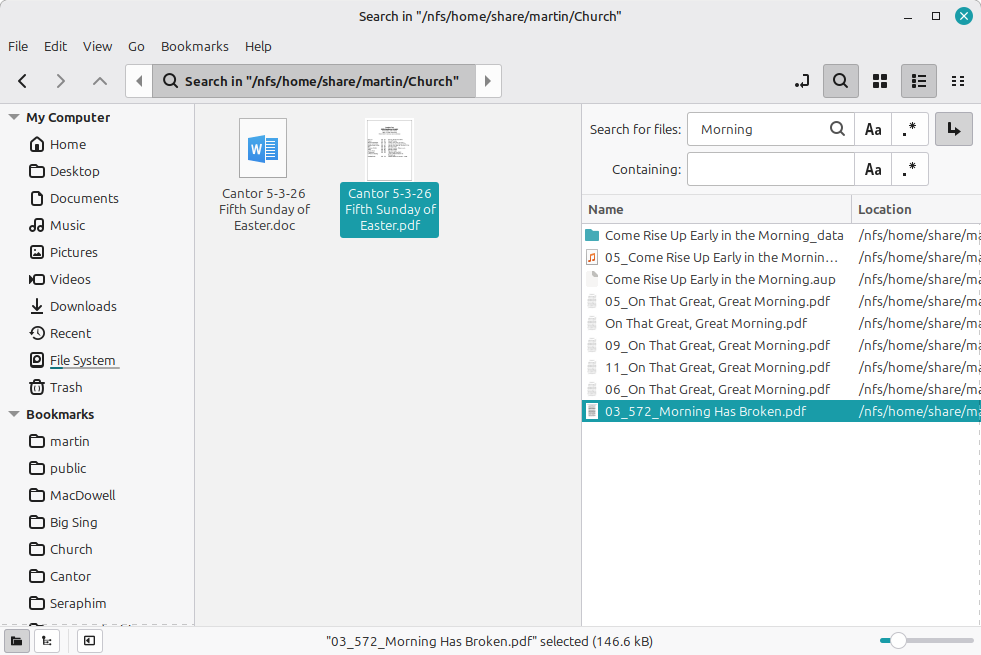
Next, I open the Nemo file manager and navigate to the folder I just created for the upcoming Mass. Then I hit the F3 key which gives me a dual pane and navigate to the CHURCH directory. Ctrl + f allows me to search for specific songs in the CHURCH directory. I copy and paste the song name or CP3 number to find music for this Mass. I can drag or copy the song into the ‘Fifth Sunday of Easter – May 3’ folder.
Other Music Needed
Most of the time I can find all the music I need in the established library, but sometimes I need to create PDF files from an existing large PDF volume. For instance, each week I need an excerpt from the 2026 Respond and Acclaim for the Mass. At the beginning of the liturgical year, I scanned the Psalm and Gospel Acclamation for all the Masses.
Xreader which is a simple PDF Reader allows me print to a PDF file in a selected directory:
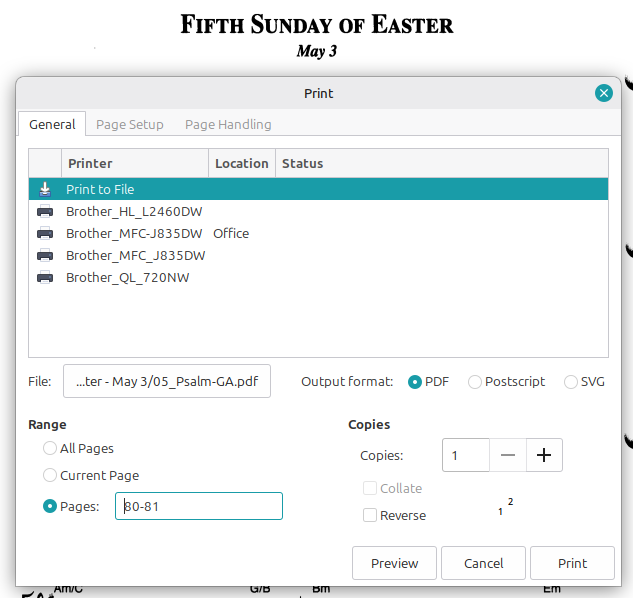
Amazingly, I lose very little resolution in the resulting two page PDF.
Other times, it may be necessary to scan a song from the Breaking Bread book. For that, I have a cut up copy of an older Breaking Bread, cutting out the page(s) I need to scan on my old Brother MFC-J835DW printer. I use VueScan to scan the pages.
Then I number the songs to put them in order, like ‘03_572_Morning Has Broken’ where 572 is the CP3 number.
If I simply need to assemble my songs from the existing library, it takes about a half hour to complete the songs in the directory.
Tablet Time
I have an 11 inch Samsung Tablet that I use to read music at rehearsals and Masses. I can connect to Network Storage via the File Manager on the tablet. I have a File Server that contains all our home information including the CHURCH directory and all subdirectories.
In the tablet I have a 128GB micro SD card that contains the target directory for Masses.
I copy the whole ‘Fifth Sunday of Easter – May 3’ folder from the File Server to the local SD card on the tablet.
Music Readers, Organizers
I’ve tried several Google Apps to organize my music. ScorePDF is good, but importing files is unintuitive. Librera works well, but the main feature of the app is targeted toward electronic book reading, not music. I finally settled on MobileSheets which has a plethora of features. It imports music from a variety of sources easily and reliably.
Using MobileSheets, I import the files from the local ‘Fifth Sunday of Easter – May 3’ folder into the list of songs for the Mass. The numbering system puts them all in order for the Mass.
Conclusion
With my music assembled and organized on my tablet, I am now ready to sing at rehearsal and Mass. I proceed from one song to another using MobileSheets. I can expand the score using the two finger gesture which makes it very readable even in low light conditions. MobileSheets even has a markup feature for director notes.
The same process applies when singing with the MacDowell Male Chorus, except that octavos are often many pages longer. Unlike a binder that has a limit to the number of pages it can store, I have hundreds of songs stored on a single SD card.
No matter the number of songs to be sung, I am ready and view the song in seconds on my trusty tablet.